Close Menu
  • Home
  • UNSUBSCRIBE
  • News
  • Lifestyle
  • Tech
  • Entertainment
  • Sports
  • Travel
Facebook X (Twitter) WhatsApp
Trending
  • ‘A disease anywhere can be a disease everywhere tomorrow morning’: Public health expert on Ebola and the threat of future outbreaks
  • Thanks to natural selection, Indigenous Andeans may digest potatoes better than anyone else in the world, study finds
  • Doctors need to understand patients' lived experiences to treat them well — but medical schools may stop requiring that training
  • This yeast-based 3D printed biomaterial could one day replace your wallpaper and drapes
  • Flesh-eating screwworm found in Texas cow. Are humans at risk?
  • New Velociraptor cousin was a ‘4-winged’ dragon that hunted prey from the trees of ancient China, fossil find hints
  • AI models are teaching each other ‘violent and antisocial’ traits through hidden data signals, study finds — and scientists can’t figure out why
  • Scientists race to collect the last seeds from a critically endangered tree before it goes extinct
Facebook X (Twitter) WhatsApp
Baynard Media
  • Home
  • UNSUBSCRIBE
  • News
  • Lifestyle
  • Tech
  • Entertainment
  • Sports
  • Travel
Baynard Media
Home»Tech»2 ways to personalize a Pixel 10, according to Google
Tech

2 ways to personalize a Pixel 10, according to Google

EditorBy EditorAugust 31, 2025No Comments2 Mins Read
Share Facebook Twitter Pinterest LinkedIn Tumblr Reddit Telegram Email
Share
Facebook Twitter LinkedIn Pinterest Email

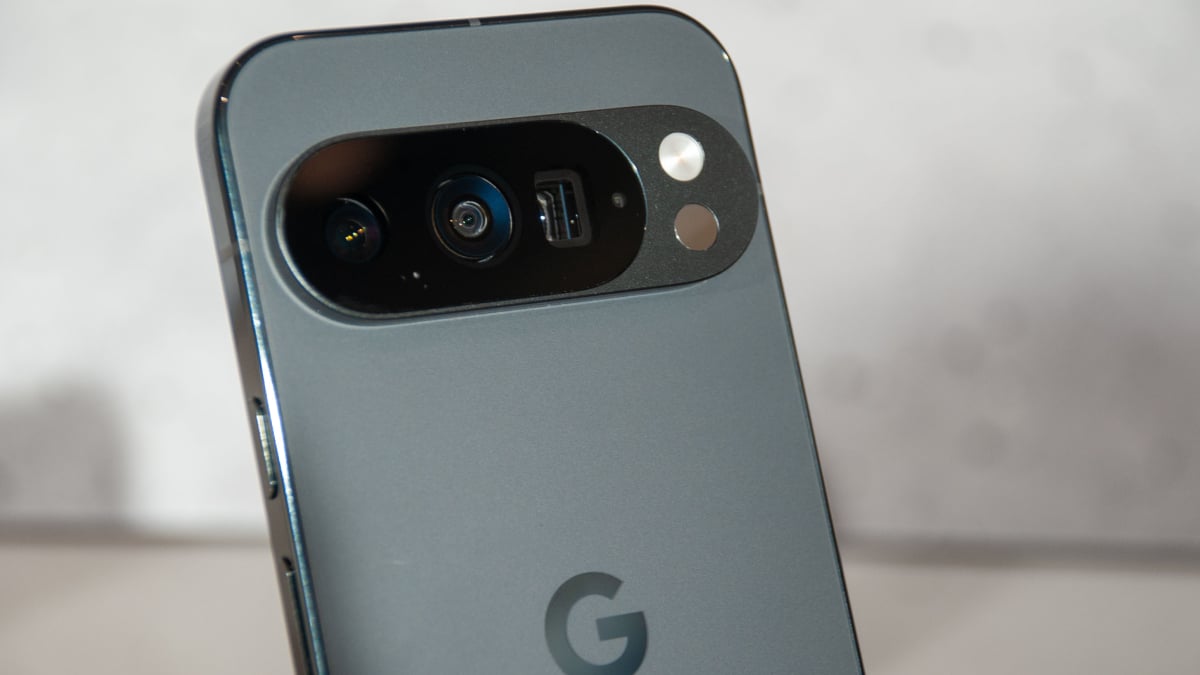
Google wants you to know you can customize the experience of your Pixel 10 phone.

The company published a blog with some hints and tricks to get more personalization out of your phone. Google listed off four tips — you should check out the whole list — but we’ve picked a couple we felt were most surprising or useful.

1. Make full use of Magic Cue

A major tool Google recommended for personalization of a Pixel 10 is the addition of Magic Cue, an AI-powered assistant aimed at making your life easier. The idea is that it should be able to trawl through things like your messages and emails to automatically solve problems. It should prove to be a time-save because, as Mashable’s Cecily Mauran wrote, it “proactively finds information you might need to look up.”

Google wrote that you “can also turn Magic Cue on or off at any time, and control what data it has access to” — so it might make sense to play with those settings to get the most out of your phone. If it does a good job, for instance, of managing your meetings, then you’d want to make sure it has access to your calendar and work emails.

Mashable Light Speed

2. Switch up the visual design

Google’s latest Pixel interface, Material 3 Expressive, gives users plenty of options to change the look their phone. Mashable’s Alex Perry wrote that it offers “deeper color customization” and a “livelier” look.

Google noted in its blog that users have lots of options, like customizing their wallpaper and shifting how buttons look. The company wrote:

“Coming only to Pixel, Material 3 Expressive’s Live Effects provides more expressive photo wallpapers by adapting to your notifications and surfacing contextual information in a more immersive and glanceable way. Material 3 Expressive also includes 14 new or updated components that feature more configuration capabilities, like emphasizing typography differently in different spots, switching up color schemes or changing the shape of various icon buttons.”

There are obviously lots of cool features to explore with a new Pixel 10 phone. It promises, for instance, a top-of-the line camera and live translation. But it is also neat that there are ways to make the phone distinctly yours.

Source link

Share. Facebook Twitter Pinterest LinkedIn Tumblr Email
Previous ArticleToday on Sky Sports Racing: Brighton and Worcester feature before Mindframe and Sierra Leone clash Stateside | Racing News
Next Article No. 9 LSU takes down No. 4 Clemson on the road
Editor
  • Website

Related Posts

Tech

iPhone exploit DarkSword has been released in the wild

March 24, 2026
Tech

The U.S. router ban: Everything you need to know

March 24, 2026
Tech

Underage sexual content, self-harm info targeted by OpenAI’s new open-source prompts

March 24, 2026
Add A Comment

Comments are closed.

Categories
  • Entertainment
  • Lifestyle
  • News
  • Sports
  • Tech
  • Travel
Recent Posts
  • ‘A disease anywhere can be a disease everywhere tomorrow morning’: Public health expert on Ebola and the threat of future outbreaks
  • Thanks to natural selection, Indigenous Andeans may digest potatoes better than anyone else in the world, study finds
  • Doctors need to understand patients' lived experiences to treat them well — but medical schools may stop requiring that training
  • This yeast-based 3D printed biomaterial could one day replace your wallpaper and drapes
  • Flesh-eating screwworm found in Texas cow. Are humans at risk?
calendar
June 2026
M T W T F S S
1234567
891011121314
15161718192021
22232425262728
2930  
« May    
Recent Posts
  • ‘A disease anywhere can be a disease everywhere tomorrow morning’: Public health expert on Ebola and the threat of future outbreaks
  • Thanks to natural selection, Indigenous Andeans may digest potatoes better than anyone else in the world, study finds
  • Doctors need to understand patients' lived experiences to treat them well — but medical schools may stop requiring that training
About

Welcome to Baynard Media, your trusted source for a diverse range of news and insights. We are committed to delivering timely, reliable, and thought-provoking content that keeps you informed
and inspired

Categories
  • Entertainment
  • Lifestyle
  • News
  • Sports
  • Tech
  • Travel
Facebook X (Twitter) Pinterest WhatsApp
  • Contact Us
  • About Us
  • Privacy Policy
  • Disclaimer
  • UNSUBSCRIBE
© 2026 copyrights reserved

Type above and press Enter to search. Press Esc to cancel.